From Horner Digital

Find it. Hire it.
Build it.
Allbuilt connects people who need work done with local contractors, and gives everyone one place to run the job, from the first quote to the final invoice.
Now on the App Store. Android coming soon.

On Android? Get an email the day Allbuilt is on Google Play.
No spam, and you can unsubscribe any time.
Free to use at launch. Paid plans are coming later.
The whole job, in one app.
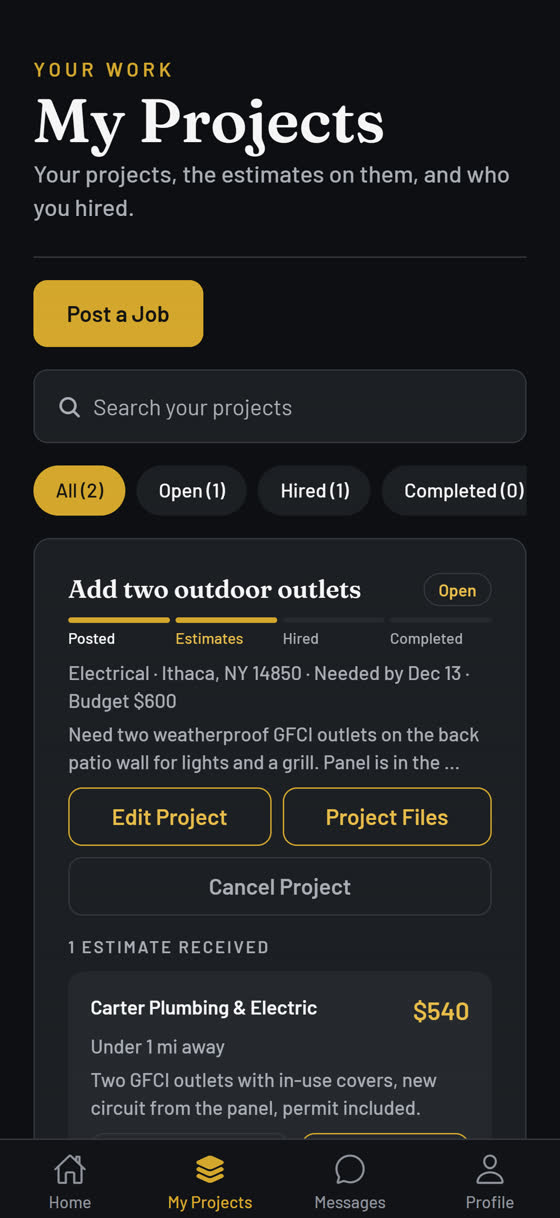
- Post a job with photos, a budget and the date you need it done.
- Compare estimates from local contractors in the right trade.
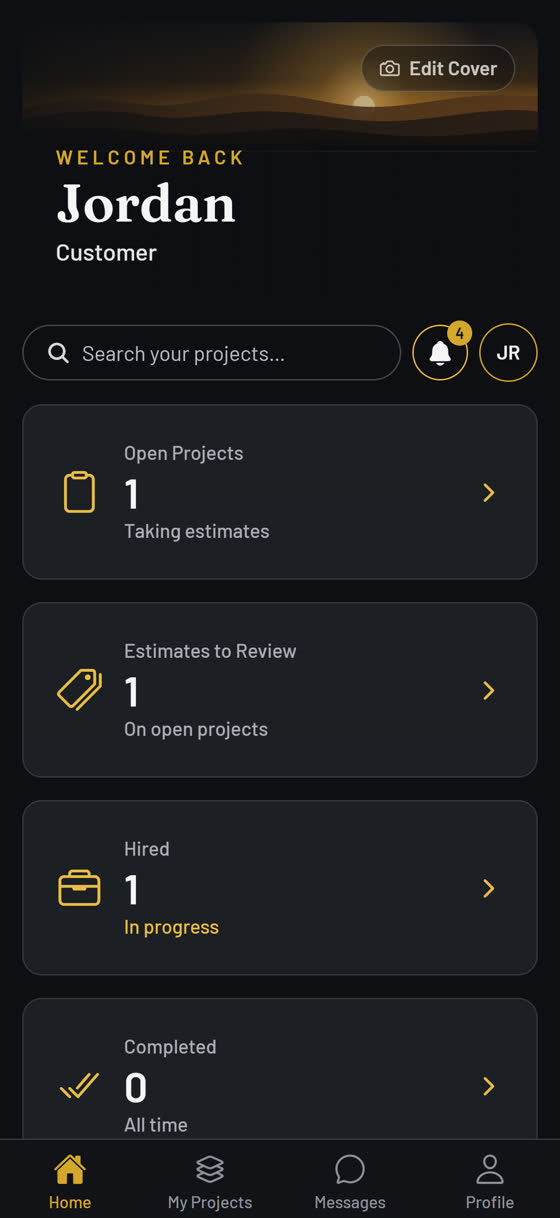
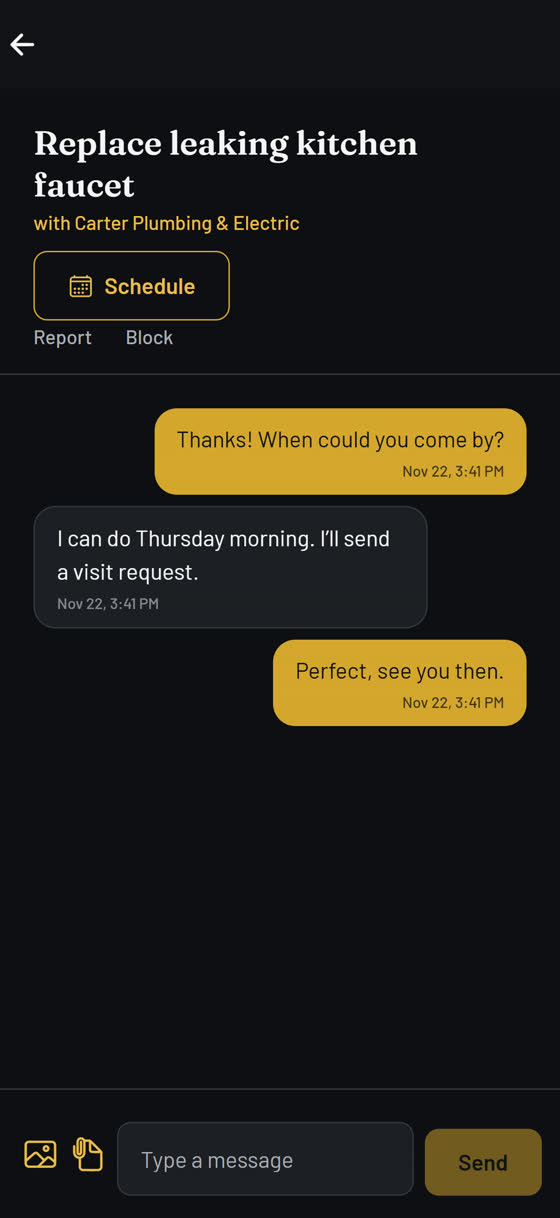
- Hire with one tap, then message, share photos and files, and book site visits.
- Own rentals or run a company? Units, renter repair requests, departments and staff roles are built in.
A look inside
See it in action.
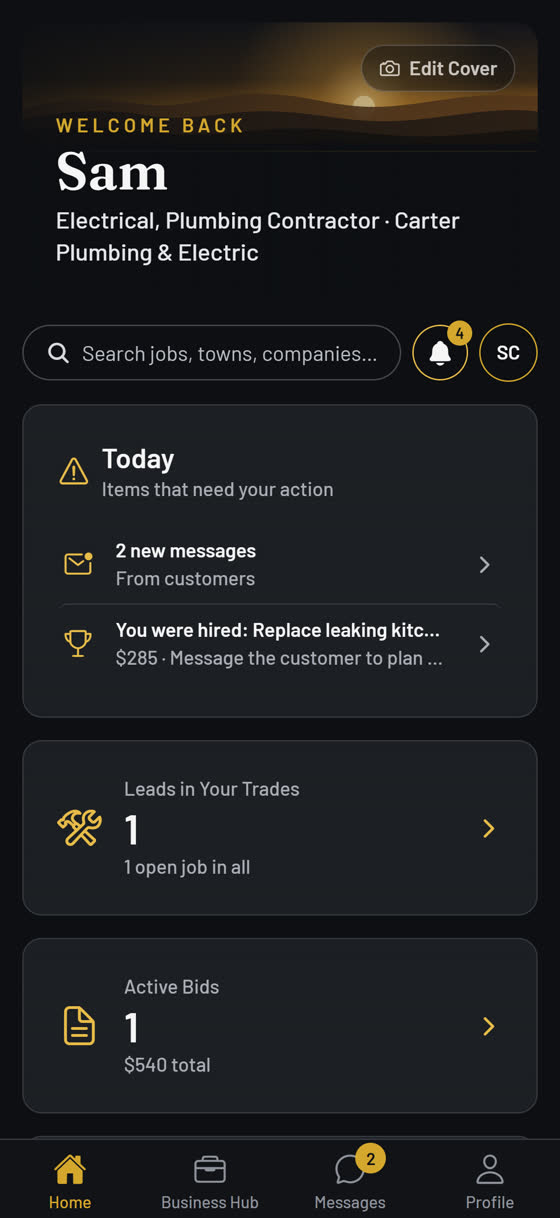
Real screens from the app, shown with sample accounts.
For contractors
Find the work.
Run your business.
Allbuilt brings you local jobs in your trades and keeps your estimates, customers and invoices in one place.
- Jobs near youSee jobs in your trades and service area, nearest first.
- Quick or detailed estimatesSend a single price or a line-by-line estimate.
- Schedule and billMessage customers, book site visits and send invoices from the job.
- Business HubKeep your own customers and off-app jobs too, with reports and spreadsheet downloads.
How it works
From first quote
to finished work.
- 1Post the jobDescribe the work, add photos, set a budget and the date you need it done. It takes a few minutes.
- 2Compare estimatesContractors nearby who do that kind of work send simple or itemized estimates. Compare them side by side.
- 3Hire and get it doneHire with one tap. Messages, photos, files, site visits and invoices all stay together with the job.
For property owners and renters
Rentals and repairs,
handled.
Manage your buildings and units in the same app you use to hire the help. Renters report a problem, and you turn it into a job for a local contractor in a few taps.
- 1List your propertiesAdd your buildings and their units.
- 2Invite your rentersSend each renter an invite by email. They sign up and see their own unit.
- 3Renters report problemsA leak, a broken lock, no heat: renters send a repair request with photos.
- 4Hire and follow it throughTurn the request into a job, hire a local contractor, and both you and the renter can follow the repair until it’s done.
- Everyone sees only their partRenters only see their own unit and requests. Owners only see their own properties.
- You control what contractors seeA hired contractor sees the renter’s first name and access notes, and their phone number only if you choose to share it.
Coming soon: rent payments. Property owners will be able to collect rent from their renters right in the app.
For companies and teams
Your whole team,
one account.
Set up your company with departments or crews, invite your people by email, and give each of them the right role: owner, manager or staff.
- Companies that hire
- Built for businesses, like a factory, that bring in contractors
- Organize your people into departments, and each person sees their department’s work
- Managers and staff post jobs, and the owner decides whether managers can hire
- See spending by department and by contractor
- Contracting companies
- Organize your estimators and field workers into crews
- See every bid your company has out in one place with Team Bids
- Invite your people by email, and the invite goes out automatically
- Add your company logo
- Jobs stay with the companyWhen someone leaves, their jobs stay with your company.
- Roles enforced, not just suggestedEach person can only do what their role allows.
Good to know
Straightforward
by design.
- Leave any timeDelete your account and its data from the app, or by email if you no longer have it. How to delete
- Your address stays privateContractors see the town. Only the contractor you hire sees the street address.
- Always in the loopGet notified by phone and email about new estimates, messages, invoices and appointments.
- Report and blockAnyone can report a person or a post, and we review every report within 24 hours.
FAQ
Questions.
When can I get Allbuilt?
Allbuilt is on the App Store for iPhone now. The Android version is coming to Google Play. Sign up above to hear the day it’s out.
Is Allbuilt free?
Allbuilt is free to use at launch. Paid plans are coming later.
Does Allbuilt handle payments?
Not yet. Invoices and payments you record in the app are notes about payments made another way, like cash, check, card or Zelle. Rent payments for property owners are coming soon.
Does Allbuilt check contractors’ licenses or insurance?
No. Allbuilt helps you find and work with contractors, but it doesn’t employ them or check licenses or insurance. Check that a contractor is properly licensed and insured before you hire them.
Who can see my information?
Contractors see a posted job’s title, description, photos, budget and town. Estimates, messages, files and invoices are visible only to the people on that job. The full details are in the privacy policy.
Who can use it?
Allbuilt is for people 18 and older.
Who makes Allbuilt?
Allbuilt is built by Horner Digital, part of Horner Enterprises in Cortland, New York. Questions? See Help & Support or email john556@hornerenterprises.com.
Get Allbuilt.
Free on the App Store for iPhone. On Android? Get an email the day it arrives on Google Play.